
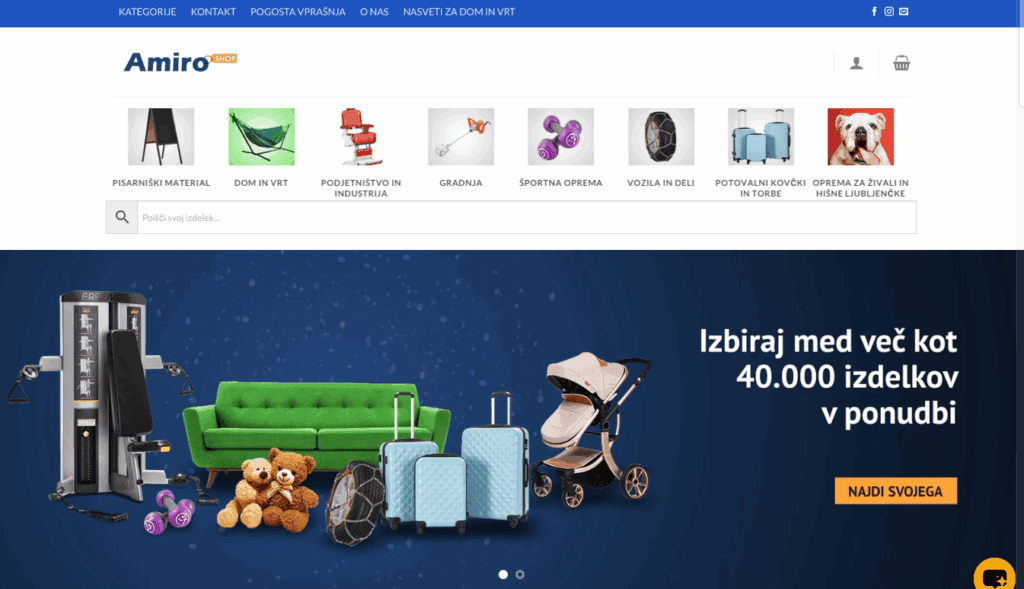
With a hundred products almost everything works by itself. With ten thousand products and more, every weakness shows: slow search, confusing filters, duplicate pages in Google and errors when importing prices. In this article we share our experience from the online store Amiroshop.si, with more than 25,000 products for home, garden and leisure.
1. Category structure: follow the logic of the shopper
Categories are the foundation of a store: shoppers search by them and Google uses them to understand what you offer.
- Three levels at most, for example Home and garden → Garden furniture → Garden furniture sets.
- The logic of the shopper, not of the warehouse: name categories the way shoppers search.
- Alignment with the supplier: if you import products from a supplier, the same category structure makes automatic import much easier. On Amiroshop.si we aligned the structure with that of the supplier.
- Order by importance: sort the main categories by sales, not alphabetically.
- A description for every category: a short text above the products helps both the shopper and search engines.
2. Filters and search
With a large catalog, shoppers do not find a product by browsing but with filters and the search box.
- Filters by the attributes shoppers actually care about: material, color, dimensions, load capacity.
- Filters must not create thousands of indexed URLs. Filtered pages should have a canonical tag pointing to the category, or a noindex tag.
- A smart search that understands typos, synonyms and search by product code, and shows results while typing.
3. Speed: the most common hidden problem
A large store has a large database, so speed depends on the whole chain: the server, page and object caching, a CDN and optimized images in WebP format.
A real-world example: on Amiroshop.si the pages were not fast despite caching. The cause was a PHP session setting that told browsers and the cache not to store pages (no-store). After fixing this one setting, loading speed improved noticeably. The lesson: before buying a more expensive server, check whether caching works at all.
4. Importing and updating products
With thousands of products, manual editing is not possible.
- Automatic import of products, prices and stock from suppliers, refreshed often enough.
- Error control: an alert when an import fails or a price suddenly changes a lot.
- Connection with the ERP system: it makes sense to connect orders, stock and invoices with your business system, for example PANTHEON, so you do not copy data by hand.
5. Product descriptions and images
- A uniform description template: who the product is for, main features, dimensions, material, maintenance.
- Unique texts for the best-selling products. AI can help with drafts, but review every text.
- Quality images with ALT descriptions and zoom.
6. SEO and data for Google
- Canonical URLs, so products and categories do not compete with each other.
- Structured product data with price and stock.
- A product feed for Google Merchant Center with brand and GTIN code.
- An XML sitemap split by content type.
Read more about preparing a store for AI search engines as well in the article AI SEO: how to optimize your website for Google AI Overviews and ChatGPT.
7. Checkout and trust
A simple checkout with few fields, several payment methods, clear delivery costs and return conditions reduce abandoned carts. Since June 2025 a store must also be accessible to people with disabilities, as we explain in the article on the Accessibility Act for online stores.
8. Hosting and maintenance
A WooCommerce store with tens of thousands of products needs a capable server, regular database clean-up, working scheduled tasks (cron) and updates. Untested updates and an overfull database are a common cause of slowdowns and errors.
Checklist before launch
- Categories have at most three levels and have descriptions.
- Filters do not create indexed duplicate pages.
- Search finds products even with typos.
- Page caching works (checked in the response headers).
- Price and stock import runs automatically and reports errors.
- The best-selling products have unique descriptions.
- The Merchant Center feed has no errors.
- Checkout has been tested on a mobile phone and with the keyboard alone.
Planning a large online store?
At MCA RGB we build online stores that handle tens of thousands of products, and we optimize them for Google. Contact us and let us talk about your catalog.