According to the Baymard Institute, on average around 70% of shopping carts are left unfinished. Most of these shoppers do not come back on their own. Automated e-mails remind them at the right time, without manual work: you set them up once and they work every day.
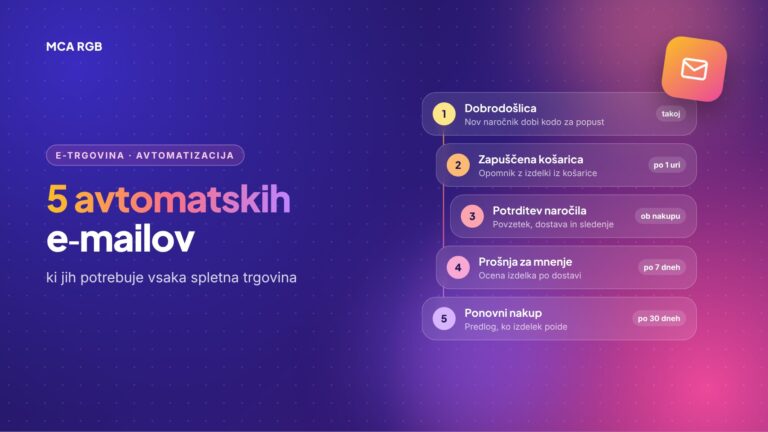
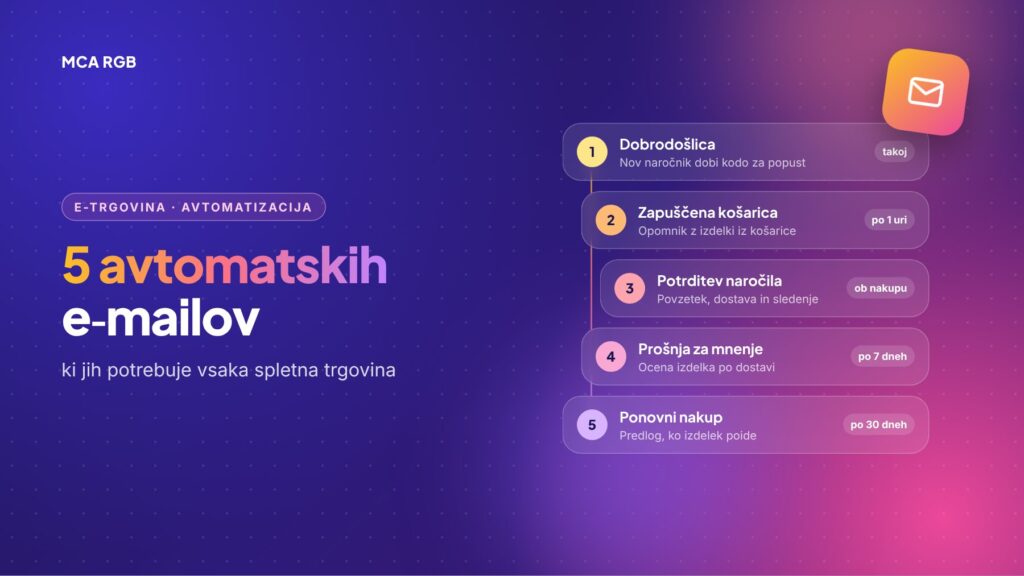
| When it is sent (starting setting) | Goal | |
|---|---|---|
| 1. Abandoned cart | 1 hour after leaving, reminder after 24 hours | Completed purchase |
| 2. Welcome | Right after newsletter sign-up | First purchase |
| 3. Post-purchase | On dispatch and a few days after delivery | Trust, fewer returns |
| 4. Review and repeat purchase | 7–14 days after delivery or when the product is expected to run out | Reviews and a second purchase |
| 5. Win-back of inactive customers | 60–90 days without a purchase | Reactivation |
1. The abandoned cart e-mail
This is the e-mail with the biggest effect, so set it up first. It contains a product image, a button to return to the cart and short answers to common doubts: how much delivery costs, when the parcel arrives and how returns work.
A tip: do not offer a discount in the very first e-mail. Otherwise shoppers quickly learn that waiting pays off.
2. A welcome for new subscribers
A new subscriber is most interested at the moment they sign up. In the first e-mail say who you are, what you sell and why to buy from you, for example free delivery above a certain amount. Optionally add a coupon for the first purchase.
3. The post-purchase e-mail
Tell the customer when the parcel will arrive and send a tracking link. A few days after delivery, add instructions or tips for using the product. Such an e-mail builds trust and reduces the number of returns, so do not sell in it yet.
4. A review request and a repeat purchase reminder
Once the customer is already using the product, ask for a review. For consumable products such as food supplements, cosmetics or pet food, a reminder when the supply is expected to run out works even better, for example before the end of a 30-day pack.
5. Winning back inactive customers
A customer who has not bought for several months needs a reason to return: something new, a special offer, or simply the question of whether they still want to receive your newsletter. Remove anyone who still does not respond from the list. That improves the deliverability of all your other e-mails.
Consent and GDPR
- Marketing messages (welcome, offers, win-back) need consent, for example a checkbox at registration or at checkout.
- The exception for existing customers: you may offer them similar products if you gave them the option to refuse at the time of purchase and offer it in every e-mail.
- Transactional messages, such as order confirmation and parcel tracking, do not need consent.
- Abandoned cart: the safest approach is to send it only to shoppers who have consented to the newsletter.
This is not legal advice. For specific cases, consult a lawyer.
How to start
- Choose a tool that connects with your store, for example Omnisend, Klaviyo or Mailchimp for WooCommerce.
- Set up the abandoned cart and the welcome e-mail first. They bring the most with the least work.
- Sort out the technical settings of your domain (SPF, DKIM and DMARC). Without them e-mails often end up in spam.
- Measure the results: opens, clicks and above all the revenue each e-mail generates.
- Connect the e-mails with your CRM, so you see the whole history of a customer in one place.
The most common mistakes
- A discount already in the first abandoned cart e-mail.
- E-mails that are too long and hard to read on a mobile phone.
- Sending without valid consent.
- Sending from a free address, for example Gmail, instead of from the store domain.
- The automation is set up once and nobody ever checks it again.
Frequently asked questions
How many e-mails should an abandoned cart sequence have?
As a rule two to three: the first soon after leaving, the second the next day, the third if needed with a small incentive.
Do I need a lot of subscribers for this to pay off?
No. Automated e-mails work from the first customer onward, because they are sent on a customer action, not on a campaign.
Which e-mail do I set up first?
The abandoned cart, because it addresses shoppers who were already closest to buying.
Shall we set up your automated e-mails?
At MCA RGB we set up e-mail marketing for your online store: from choosing the tool and the technical domain settings to designing the e-mails and connecting them with your CRM. Read more about what we can automate on the Marketing automation page.
Contact us and we will prepare a proposal for your store.